$4,350
Spent in May
April
Next Up
Start in 20 min
Meeting with the stakeholders to receive requirment



My Stocks
$ 2.245
%5
9.792 kmph
12km
Create a travel itinerary for my Goa trip.
Create a Calorie tracker for me
Track all my subscriptions
Remind me to call Edwin
St
Keep updating me on tradings
Track all my spends on different apps
Pixy
The Future of Personal Productivity


$4,350
Spent in May
April
Its a good day to hit your 10k steps
Ask Pixy
Role
Sole Product Designer
Timeline
March 2026-ongoing
Team
Founder Engineers, PMs
Outcome
700+ Downloads on lauch
My Role
Leading Design & Language, Designing for AI,
0→1 Product Design.



The Problem
Today's lives are fragmented across dozens of apps.





As a result, people spend more time managing systems than making progress.
Pixy ties your apps, information, and goals into one cohesive system.
March
T
1
8
15
22
29
M
5
12
19
26
S
4
11
18
25
F
2
9
16
23
30
T
6
13
20
27
7
14
21
28
W
3
10
17
24
31
S

2.792
12KM




PART I
The Challenge
Designing for an entire Life
Most products solve one problem,
Pixy needed to support :
Travel
Personal Projects
Health
Finance
Learning
People & Relationships
Career
People Think :
“I need help with my health" 🧐
Not :
“I need another productivity app."😩
Introducing Spaces

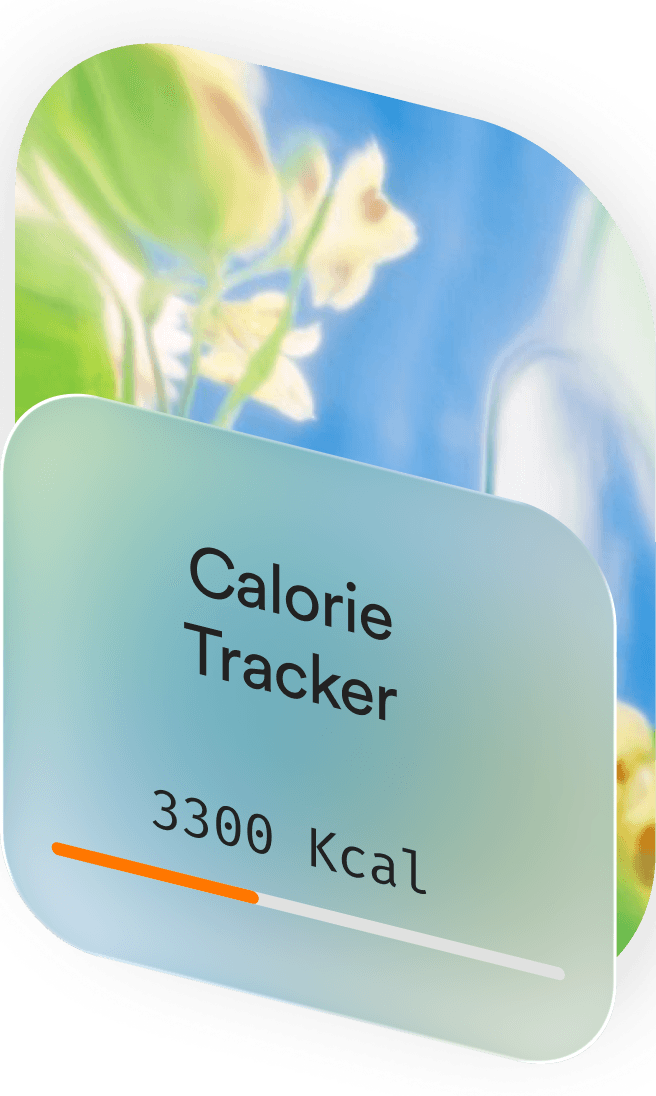

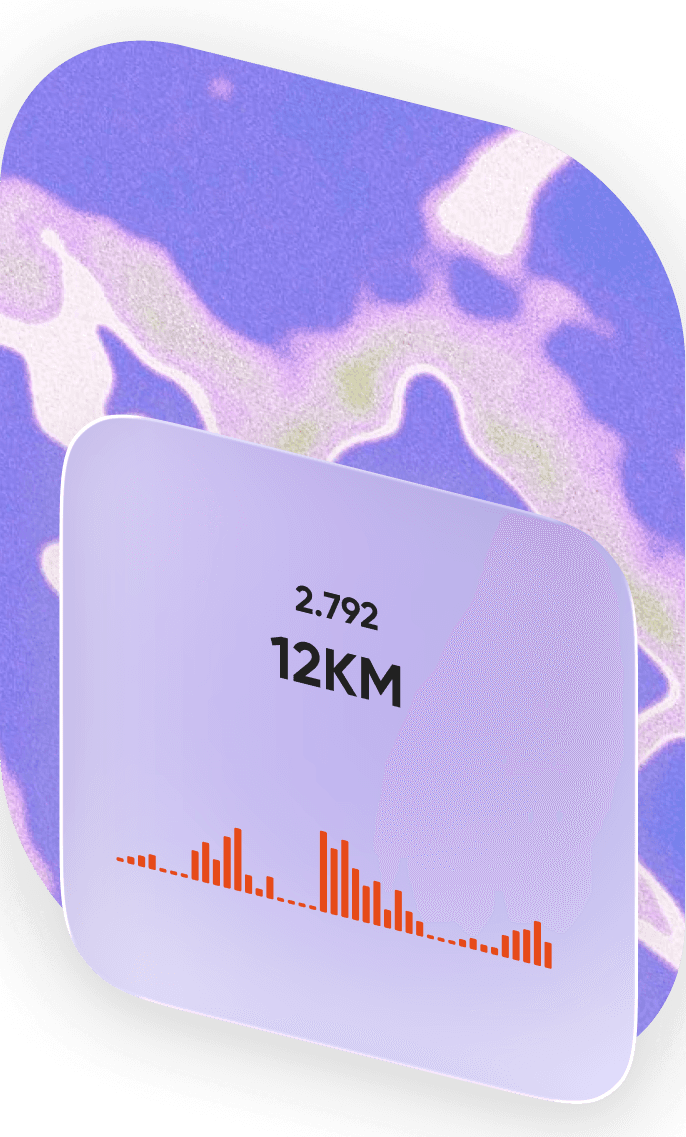
Rather than organizing information around apps,
Pixy organizes life around ‘Spaces’
The Shift
From Assistant to Autopilot ✈️
Most AI products wait for instructions.
Pixy proactively works in the background.
✅ Updates trackers automatically
✅ Surfaces useful insights
✅ Creates workflows
✅ Suggests improvements
✅ Detects Patterns
The ‘Agentic’ Approach
Journey of creating a ‘Space’

Verdict
From learning new skills to managing daily responsibilities, Pixy reduces friction by creating intelligent systems tailored to each user's needs.
Tiny AI Workers for your Life

PART III
The App Experience
It was clear that the UI needed 3 major interaction start-points
Homescreen, Spaces and
Chat/Ask Pixy Screen
Pixy Design System
Shell App
(The main shell app
that holds the Spaces)
Spaces
(Mini apps generated by AI as per the user’s requirements)
(so AI generates consistent apps)
design.md guidelines
Health • Finance • Travel • Work
+ more
(Biggest challenge)
How do we train AI to create consistent interfaces?
Each app category was paired with a dedicated design.md file, giving AI the design rules needed to generate consistent, on-brand interfaces.
Category
(Health, Finance, Productivity, Mind & Wellbeing, Social, Food & Nurtition
design.md
UI Rules
(Layout • Colors • Components)
AI Generates consistent outputs
How I created a design language for every category using

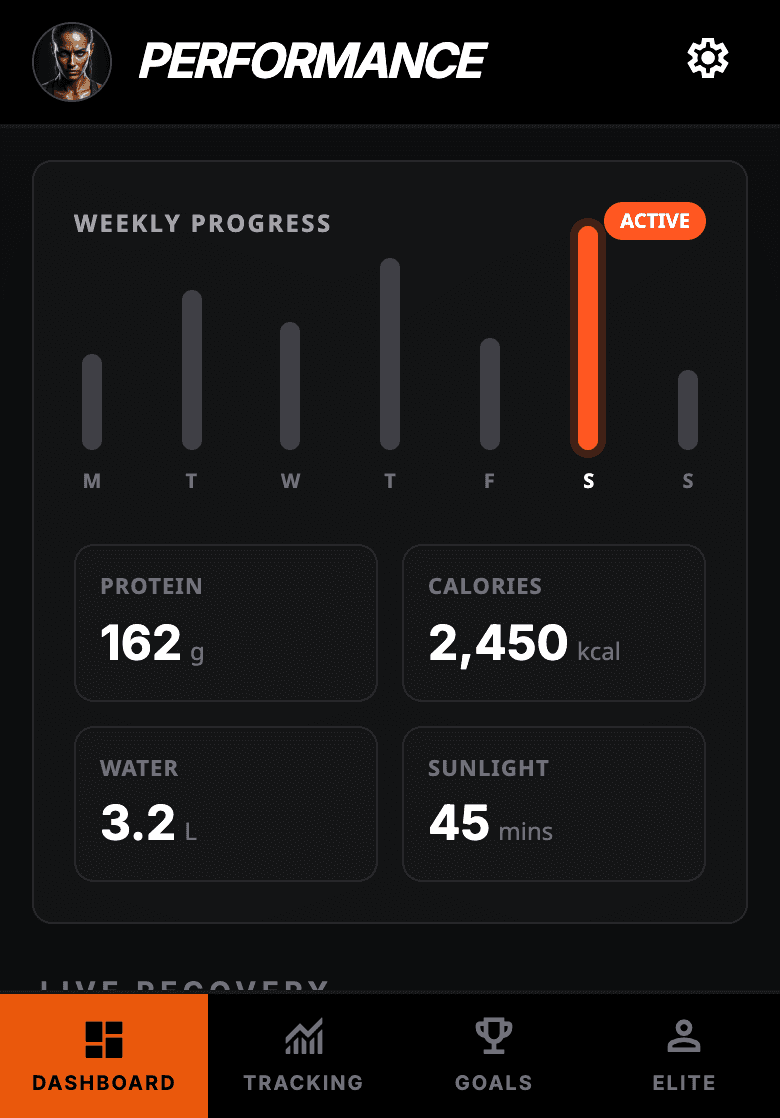
For example, for the Fitness Category, I created a UI Board on Stitch and combined it with a prompt describing the look & feel of the apps to be generated within that category
UI Board

Feed the UI Board to

The Result

A design system that can be exported as
a .md file and be used to train the AI agent to create visually similar outputs for every category of apps.
Example
Results generated by AI through the
design.md file for Fitness Category


Verdict
The results were not ‘perfect’ but they were considerably better than the outputs without the .md file. There lies a gap in between the expectation of the users and what AI generates via their prompt.
design.md files helped reduce that gap significantly
Onboarding Screens

Post-Onboarding Guide

Homescreen Explorations

Create/Edit Agents

Inside a Space

Pixy Chat Experience

PART V
Creating the Hype
Crafting a cohesive brand identity through marketing assets, website design, social media, and promotional content that brought Pixy to life.

User-group targeted posts


Reflections
Pixy challenged me to think beyond conventional product design. Every feature required questioning existing patterns, exploring new ideas, and collaborating closely with engineering to shape an AI-first experience.
Takeaways
Designing Pixy reinforced that great AI products aren't built through a single breakthrough, but through continuous learning, experimentation, and refinement. This case study captures only a fraction of that journey. Feel free to connect with me to know more
Word from the Founders
“One of Skand's biggest strengths was his willingness to explore. He constantly questioned assumptions, brought new perspectives, and challenged us to build a better product”
Vivek Paidi,
Founder | Ex-Head of Engineering @Splice
“Skand and I spent countless hours refining Pixy's brand and experience. He struck a great balance between creating something memorable and keeping it intuitive”
Shibangi Barua,
Co-founder & Venture Captialist
Pixy
The Future of Personal Productivity
Designing an AI-powered Life Operating System


$4,350
Spent in May
April
Its a good day to hit your 10k steps
Ask Pixy
Role
Sole Product Designer
Timeline
March 2026-ongoing
Team
Founders, Engineers, PMs
Outcome
700+ downloads on day 1
My Role
Leading Design & Language, Designing for AI, 0→1 Product Design
The Problem
Today's lives are fragmented across dozens of apps.



As a result, people spend more time managing systems than making progress.
Pixy ties your apps, information, and goals into one cohesive system.
March
T
1
8
15
22
29
M
5
12
19
26
S
4
11
18
25
F
2
9
16
23
30
T
6
13
20
27
7
14
21
28
W
3
10
17
24
31
S
2.792
12KM


PART I
The Challenge
Designing for an entire Life
Most products solve one problem,
Pixy needs to support :
Health
Finance
Career
Learning
Travel
Personal Projects
People & Relationships
People Think :
“I need help with my health" 🧐
Not :
“I need another productivity app."😩
Rather than organizing information around apps,
Pixy organizes life around ‘Spaces’

“A space that updates me on the best cafe to work around me”


Stuck
Drake


$4,350
Spent in May
April

2.792
12KM

“A space that updates me on the best cafe to work around me”

The Shift
From Assistant to Autopilot ✈️
Most AI products wait for instructions.
Pixy proactively works in the background.
✅ Updates trackers automatically
✅ Surfaces useful insights
✅ Creates workflows
✅ Suggests improvements
✅ Detects Patterns
(Case 1)
Pixy for Organizing
Flow of a user struggling to sort his emails

(Case 2)
Pixy for Learning
A user trying to learn Adobe After Effects

PART II
The Agentic Approach
What are Spaces?

Pixy is built on an agentic architecture where users create Spaces around different areas of their lives. Each Space is powered by specialized AI agents that autonomously perform tasks, monitor progress, learn from user behavior, and proactively surface insights, recommendations, and actions over time.
Agents are tiny AI workers for everyday life
Users can put parts of your life on autopilot

Key and BPM Finder

Weekend Fun Planner
Stock Market Updates

Events
Near Me
Pollen & AQI Daily Brief
Costco Club Price Drop Tracker
Vet
Reminder

Sunset Spot Finder
Track Gold
Prices
Morning Brief Generator
Flight Fare Tracker
Lakers Game Alerts
Funding News Alerts
Stock Market Updates
PART III
The App Experience
It was clear that the UI needed 3 major interaction start-points
Homescreen, Spaces and Chat/Ask Pixy Screen
Designing for Pixy was not standard, it had a unique problem to be solved
Pixy Design System
Home • Spaces • Chat
Pixy App
(The main shell app
that holds the Spaces)
so AI generates consistent apps
design.md Guidelines
Health • Finance • Travel • Work + more
Spaces
(Mini apps generated by AI as per the user’s requirements)
(Biggest challenge)
How do we train AI to create consistent interfaces?
Each app category was paired with a dedicated design.md file, giving AI the design rules needed to generate consistent, on-brand interfaces.
Category
(Health, Finance, Productivity, Mind & Wellbeing, Social, Food & Nurtition
design.md
UI Rules
(Layout • Colors • Components)
AI Generates consistent outputs
How I created a design language for every category using
For example, for the Fitness Category, I created a UI Board for Stitch and combined it with a prompt describing the look & feel of the apps to be generated within that category

UI Board
The Result

A design system that can be exported as an .md file and be used to train the AI agent to create similar outputs for the same category
Results generated by AI through the .md file for the Fitness Category
The results were not ‘perfect’ but they were considerably better than the outputs without the .md file. There lies a gap in between the expectation of the users and what AI generates via their prompt.
design.md files helped reduce that gap significantly
⭐️
These are just a few highlights from the broader Pixy experience. If you'd like to dive deeper into a specific feature, workflow, or design decision, I'd be happy to walk you through it.
PART IV
Pixy App Visual Design


Takeaways
Designing Pixy reinforced that great AI products aren't built through a single breakthrough, but through continuous learning, experimentation, and refinement. This case study captures only a fraction of that journey. Feel free to connect with me to know more
Hear from the founders
“One of Skand's biggest strengths was his willingness to explore. He constantly questioned assumptions, brought new perspectives, and challenged us to build a better product”
Vivek Paidi,
Founder | Ex-Head of Engineering @Splice
“Skand and I spent countless hours refining Pixy's brand and experience. He struck a great balance between creating something memorable and keeping it intuitive”
Shibangi Barua,
Co-founder & Venture Captialist
🤝🏻
Thank you for your time.